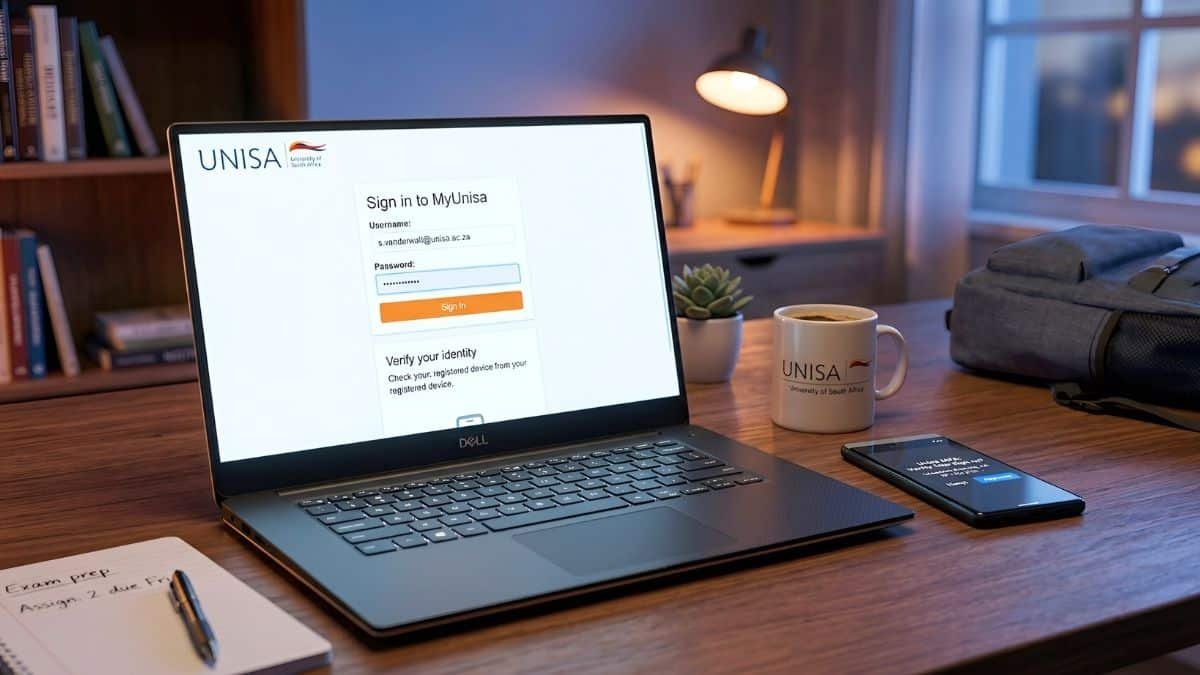
If you’ve recently registered at the University of South Africa (UNISA), you’ve probably been told to check your myLife email before receiving important university information.
Many new students quickly discover that almost every official communication—from registration updates and examination information to financial notifications and graduation announcements—is sent to their UNISA myLife email account.
Unfortunately, this is also where many students experience problems.
Some cannot activate their accounts, others forget their passwords, while many simply don’t know where to log in or why UNISA insists on using a separate email account instead of Gmail or Outlook.
If you’re one of them, you’re not alone.
This guide explains everything you need to know about your UNISA myLife email, including how to activate it, where to log in, how to recover your password, and why checking it regularly is one of the most important responsibilities of every UNISA student.
Whether you’re a first-year student or returning for another semester, understanding how your myLife account works can help you avoid missing important university deadlines.
What Is a myLife Email?
A myLife emailis the official email account issued to every registered UNISA student.
Instead of communicating with students through personal email addresses such as Gmail, Yahoo or Outlook, UNISA provides each registered student with a university-managed email account.
This account becomes your official communication channel with the university.
Whenever UNISA sends information about your studies, examinations, assignments, registration, student funding, or graduation, those messages are usually delivered to your myLife inbox.
Think of it as your digital student mailbox.
If you don’t check it regularly, you could miss information that affects your studies.
Why Does UNISA Use myLife Email?
Many students ask why they cannot simply use their Gmail account.
The reason is straightforward.
A university communicates with hundreds of thousands of students every year.
Using one official email system helps ensure that important messages reach registered students securely and consistently.
Your myLife email helps UNISA:
Confirm your identity as a registered student.
Protect confidential student information.
Send official university announcements.
Share examination updates.
Communicate assignment information.
Provide registration notices.
Deliver graduation and academic communication.
Because of this, your personal Gmail or Outlook account should never replace your myLife email for official university communication.
Who Receives a myLife Email?
Every registered UNISA student receives a myLife email account.
This includes:
Undergraduate students.
Postgraduate students.
Honours students.
Master’s students.
Doctoral students.
Once your registration has been processed successfully, you can activate and begin using your university email account.
If you have recently completed your registration, allow sufficient time for university systems to update before trying to activate your account.
What Does a myLife Email Address Look Like?
Your university email address is normally linked to your student number.
Your exact email address is generated by UNISA when your account is created.
Because every student receives a unique address, your email should never be shared publicly unless necessary.
Why Checking Your myLife Email Is So Important
Many students only log in when they are expecting examination results.
This is one of the biggest mistakes new students make.
Your myLife email is used throughout the academic year.
You may receive messages about:
Registration updates.
Examination timetables.
Assignment reminders.
Financial information.
NSFAS-related communication.
Graduation updates.
Student administration notices.
Password changes.
Important university announcements.
Missing one email could mean missing an important deadline.
Developing the habit of checking your inbox several times each week can help you stay informed throughout your studies.
Is myLife Different from myUnisa?
Yes.
Although many students confuse the two, they serve different purposes.
myUnisa
myUnisa is UNISA’s online student portal.
Students use it to:
Access study material.
Submit assignments.
View announcements.
Access modules.
Check academic information.
myLife
myLife is your university email account.
Its main purpose is official communication between you and UNISA.
Both systems work together, but they are not the same.
You’ll often receive an email in your myLife inbox asking you to log into myUnisa to complete a particular task.
Benefits of Using Your myLife Email
Besides receiving university communication, your student email can also provide access to services made available through UNISA’s Microsoft environment.
Depending on your student status and current university arrangements, your account may provide access to Microsoft 365 services used for learning, communication and productivity.
These services can make studying easier by allowing students to access university-supported digital tools from different devices.
Always refer to UNISA’s official student information for the latest services available with your account.
When Should You Activate Your myLife Account?
As soon as your registration is confirmed.
Don’t wait until assignments are due or examinations are approaching.
Activating your account early gives you time to:
Learn how the system works.
Confirm that you can log in successfully.
Update your recovery information where applicable.
Receive important university communication immediately.
Students who activate their accounts early generally experience fewer problems during busy registration and examination periods.
Common Problems New Students Experience
Every registration period brings thousands of first-year students to UNISA.
Some of the most common issues include:
Not knowing where to activate their email.
Entering an incorrect student number.
Forgetting their password.
Trying to log in before registration has been processed.
Confusing myLife with myUnisa.
Ignoring university emails because they continue checking Gmail instead.
The good news is that most of these issues can be resolved by following the correct activation and login process.
Keeping Your Student Email Secure
Your myLife account contains personal academic information, so it should be treated like any other important online account.
To protect your account:
Never share your password.
Avoid logging in on public computers without signing out.
Create a strong password if you’re asked to update it.
Be cautious of emails asking for your login details.
Only access your account through official UNISA systems.
Remember that UNISA will never ask you to send your password by email.
Protecting your login details helps keep your academic information secure.
How to Activate Your UNISA myLife Email
Once your UNISA registration has been processed, you should activate your myLife email as soon as possible. Waiting until assignments or examinations are due can lead to unnecessary stress if you experience login problems.
Although UNISA may update its online systems from time to time, the activation process generally follows these steps.
From there, navigate to the student email or myLife section.
Avoid using links shared on social media or unofficial websites, as they may direct you to fake login pages designed to steal passwords.
Step 2: Enter Your Student Number
You will be asked to enter your UNISA student number.
Check the number carefully before continuing.
A single incorrect digit can prevent your account from being located.
Step 3: Verify Your Identity
Depending on your account status, UNISA may ask you to verify your identity before activating your email.
Follow the instructions displayed on the screen.
Step 4: Create or Confirm Your Password
If this is your first login, you may be asked to create or confirm your password.
Choose a password that is:
Difficult to guess.
Easy for you to remember.
Different from passwords you use elsewhere.
Avoid using:
Your ID number.
Your date of birth.
Your cellphone number.
Simple passwords like “Password123.”
Step 5: Sign In
Once your account has been activated, you can log into your myLife mailbox and begin receiving official university communication.
How to Log In to Your myLife Email
After activation, accessing your email becomes straightforward.
When logging in, you will generally need:
Your full myLife email address.
Your password.
If your login details are correct, your inbox should open within a few seconds.
If you’re unable to sign in, don’t keep guessing your password repeatedly. Multiple unsuccessful attempts may temporarily lock your account.
Instead, use the official password recovery option.
Forgot Your myLife Password?
Forgetting a password happens to almost every student at some point.
The important thing is to recover it safely.
If you cannot remember your password:
Use the official UNISA password recovery process.
Follow the verification instructions.
Create a new secure password.
Log in using your updated credentials.
Avoid asking strangers on social media to help recover your account.
Only use official UNISA support channels when resetting passwords.
Common Login Problems (And How to Solve Them)
Most login problems have simple solutions.
“My username is incorrect.”
Double-check your student number and email address.
Many students accidentally enter their personal Gmail address instead of their myLife account.
“My password isn’t working.”
First check:
Is Caps Lock turned on?
Did you recently change your password?
Are you using an old saved password?
If you’re still unable to log in, reset your password.
“I registered today but can’t log in.”
Registration information does not always appear immediately across every university system.
Allow sufficient processing time before attempting another login.
If the problem continues, contact UNISA Student Support.
“My mailbox is full.”
Delete unnecessary emails or archive older messages if mailbox storage becomes limited.
Keeping your inbox organised also makes it easier to find important communication.
“The login page won’t open.”
This may be caused by:
Browser problems.
Internet connection issues.
Temporary system maintenance.
Try:
Refreshing the page.
Using another browser.
Clearing your browser cache.
Trying again later.
Can You Access Your myLife Email on Your Phone?
Yes.
Many students prefer checking their university email from a mobile device.
Using your smartphone allows you to receive important university messages even when you’re away from your computer.
To avoid missing important communication:
Enable notifications.
Check your inbox regularly.
Keep your phone updated.
Sign out if using someone else’s device.
A few minutes each week can prevent you from overlooking important deadlines.
Microsoft 365 and Your myLife Email
Your myLife email may also be used to access Microsoft services provided to eligible UNISA students.
Depending on the services available through your student account, you may have access to Microsoft applications used for learning, collaboration and productivity.
Always refer to official UNISA guidance for the latest information regarding Microsoft 365 access and student benefits.
Tips Every UNISA Student Should Follow
Over the years, experienced students have developed habits that help them stay organised.
Here are a few worth adopting:
Check Your Email Every Week
Don’t wait until examinations are approaching.
Checking your inbox regularly helps you stay informed throughout the academic year.
Keep Your Contact Details Updated
If your cellphone number or recovery email changes, update your information where possible.
This can make account recovery much easier if you forget your password.
Save Important Emails
Create folders for:
Registration.
Examinations.
Finance.
Assignments.
Graduation.
Finding information later becomes much easier.
Watch Out for Phishing Emails
Cybercriminals sometimes send fake emails pretending to come from universities.
Never click suspicious links or provide your password unless you’re certain you’re using an official UNISA website.
When in doubt, access your account by typing the official UNISA website into your browser instead of clicking links in unexpected emails.
Yes. Registered students should use their myLife email because it serves as UNISA’s primary channel for official communication.
Can I use Gmail instead?
You may continue using Gmail for personal communication. However, important university information is generally sent to your myLife account, so you should monitor it regularly.
How often should I check my myLife email?
It’s a good idea to check it several times each week, especially during registration, assignment submission periods and examination season.
Can I access my email from anywhere?
Yes. As long as you have an internet connection and your login details, you can generally access your account from different devices.
Is my student email the same as myUnisa?
No. myUnisa is your student learning portal. myLife is your official university email account. Both are important, but they serve different purposes.
What should I do if I still can’t log in?
If you’ve tried the official password recovery process and still cannot access your account, contact UNISA’s official ICT or student support services for assistance. Avoid sharing your password with anyone offering help online.
Final Thoughts
Your myLife email is more than just another email address—it is one of the most important tools you’ll use throughout your studies at UNISA.
From registration updates and assignment reminders to examination information and graduation notices, many of the university’s official communications are delivered through this account.
Students who develop the habit of checking their myLife email regularly are less likely to miss important deadlines and are generally better prepared for each stage of the academic year.
If you’re a new UNISA student, activate your account as soon as your registration is confirmed, learn how to recover your password if necessary, and make checking your inbox part of your weekly routine.
A few minutes spent managing your student email today can save you from unnecessary stress later.
Editorial Note
This guide has been prepared by SETA EduFeeds to help students understand how the UNISA myLife email system works.
UNISA may update its login procedures, security requirements or student systems from time to time. Always refer to the University’s official website for the latest instructions regarding account activation, password recovery and student email access.
SETA EduFeeds is an independent education and career publication. We are not affiliated with the University of South Africa (UNISA), and we do not provide technical support or student account services.
Nonhlanhla Ndlovu
Nonhlanhla Ndlovu is the Founder and Editor-in-Chief of Seta.EduFeeds, an independent South African publication dedicated to helping students, graduates, and job seekers discover verified learnerships, internships, bursaries, graduate programmes, apprenticeships, and entry-level career opportunities.
With a strong focus on South Africa’s skills development and employment landscape, she researches and publishes practical, easy-to-understand articles that help readers navigate application requirements, recruitment processes, and career pathways. Her editorial work aims to make complex information accessible, especially for first-time applicants entering the job market.
Before an article is published, Nonhlanhla verifies information using official employer, government, SETA, university, and institutional sources whenever possible. She believes that opportunity journalism should do more than report vacancies—it should explain what opportunities mean, who qualifies, how to apply correctly, and how applicants can avoid common mistakes.
Under her editorial leadership, EduFeeds has become a trusted resource for thousands of South Africans looking for reliable information on education, training, and employment opportunities. The publication follows clear editorial standards that prioritise accuracy, transparency, regular content updates, and people-first reporting.
Beyond publishing opportunities, Nonhlanhla is passionate about empowering young South Africans with the knowledge needed to make informed career decisions. She believes that access to clear, trustworthy information can help reduce barriers to employment and improve access to life-changing opportunities.
When she is not researching new programmes or reviewing articles, she focuses on improving EduFeeds’ editorial quality, ensuring readers receive timely, accurate, and practical information that supports their education and career journeys.